
SDK Constants
This guide provides developers with an understanding of the constants exposed in DottedSign Embedded Signing SDK. These constants represent fixed values used throughout the SDK, providing a way to reference values without hardcoding them into your application.
Currently, there are two constant types: EMBED_TYPE and ELEMENTS_ID. Each constant type offers several items for users to utilize. You can reference them using the following syntax:
window.dottedSign.embedTypes.<CONSTANT_NAME>
window.dottedSign.elementsId.<CONSTANT_NAME>
EMBED_TYPE
EMBED_TYPEEMBED_TYPE represents the various embedding modes provided by DottedSign Embedded Signing SDK.
| Constant Name | Description |
|---|---|
CREATE | The mode to create a task from scratch by uploading documents. |
DRAFT | The mode to create a task from an existing draft by providing a draft ID. |
CREATE
CREATEThe CREATE embed type is used to create a new task.
- If no
templateIdis provided, the SDK will follow the standard task creation flow (upload documents or start from scratch). - If a
templateIdis provided, the task will be created directly from the specified template. - If a
fileMergeMissionIdis provided, the task will be created directly from the files of that mission (the files are automatically downloaded and submitted, not referenced from existing bytes). The mission must havestatus: completed; otherwise an error will be shown in the embedded UI. If the mission was created from multiple files, only the merged single file is shown; the individual source files are not displayed separately. - If both
templateIdandfileMergeMissionIdare provided,fileMergeMissionIdtakes precedence andtemplateIdis ignored. Passing both is not a supported combination — pick one.
Example: Create a task without a template
window.dottedSign.open(root, {
  token,
  type: window.dottedSign.embedTypes.create,
});
Example: Create a task with a template
window.dottedSign.open(root, {
  token,
  type: window.dottedSign.embedTypes.create,
  templateId: `${Your template ID}`,
});
Example: Create a task from a file merge mission
window.dottedSign.open(root, {
  token,
  type: window.dottedSign.embedTypes.create,
  fileMergeMissionId: `${Your file merge mission ID}`,
});
DRAFT
DRAFTThe DRAFT embed type allows users to create a task based on an existing draft.
When using this mode, you must provide a valid draftId. The embedded signing flow will load the draft and continue task creation from it.
Example: Create a task from a draft
window.dottedSign.open(root, {
  token,
  type: window.dottedSign.embedTypes.draft,
  draftId: `${Your draft ID}`,
});
ELEMENTS_ID
ELEMENTS_IDELEMENTS_ID specifies the HTML elements that will be displayed in the user interface. Its primary purpose is to allow users to toggle components, for example, using the hideElement() method.
CREATE
CREATEThe following ELEMENTS_ID constants are available for use in the CREATE embedding mode, corresponding to the UI components shown below.
| Constant Name | Description |
|---|---|
CREATE_ATTACHMENTS | 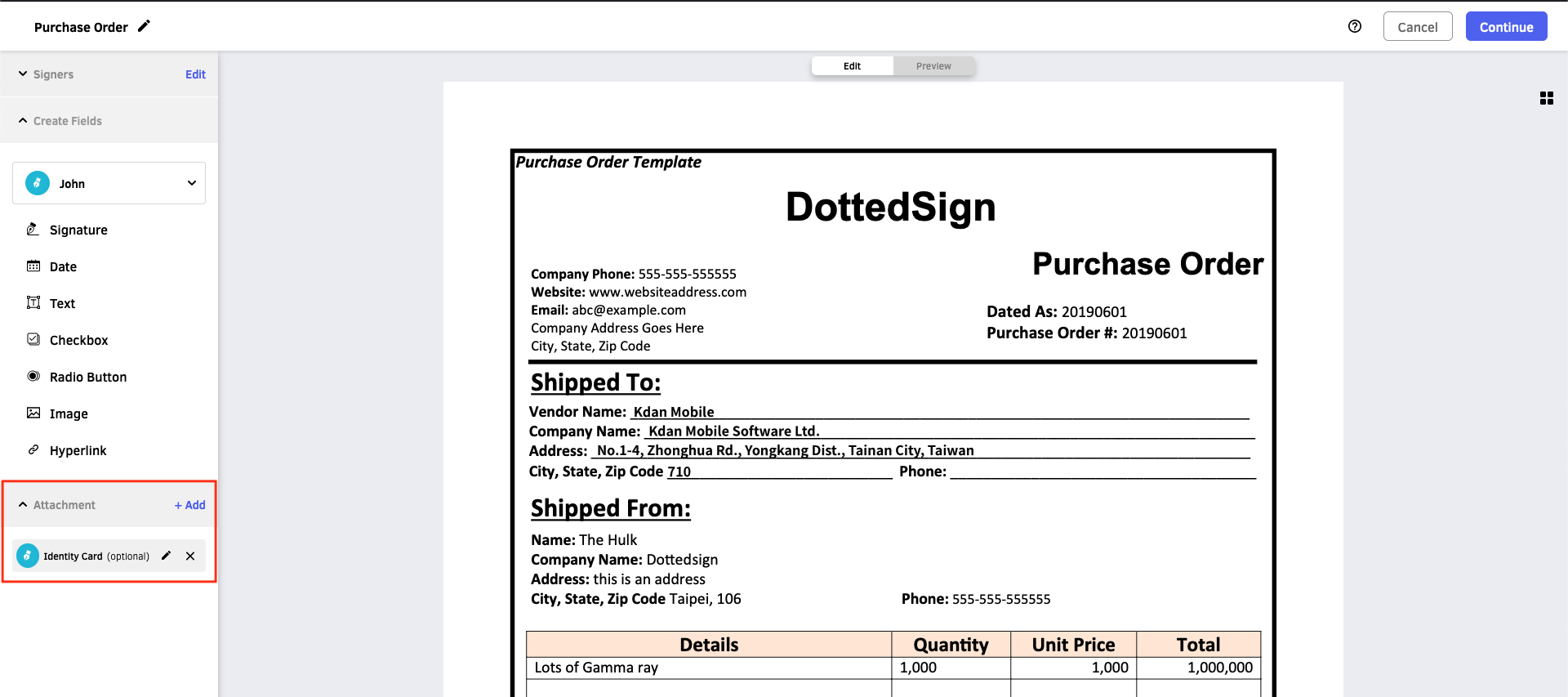 |
CREATE_PREVIEW | 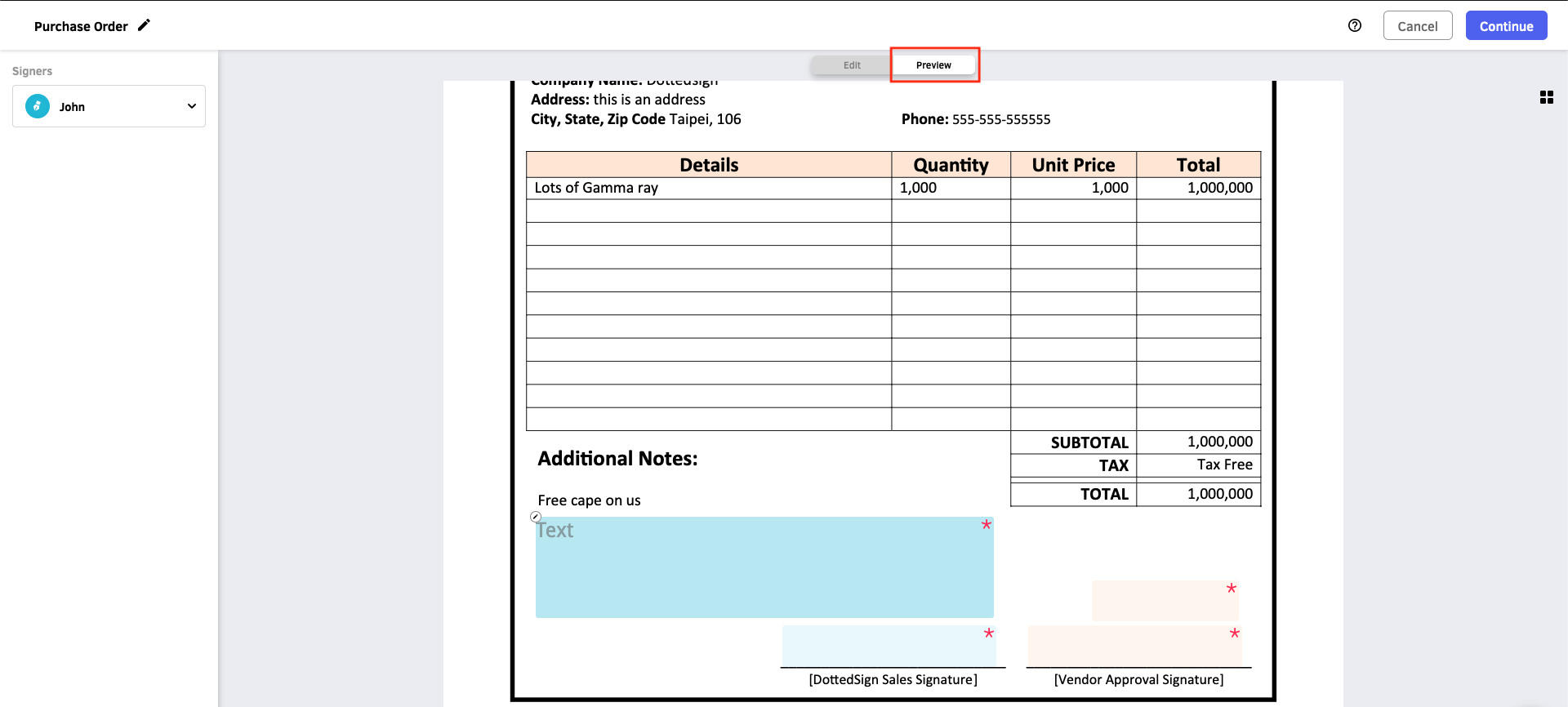 |
CREATE_CONFIRM_LABEL | 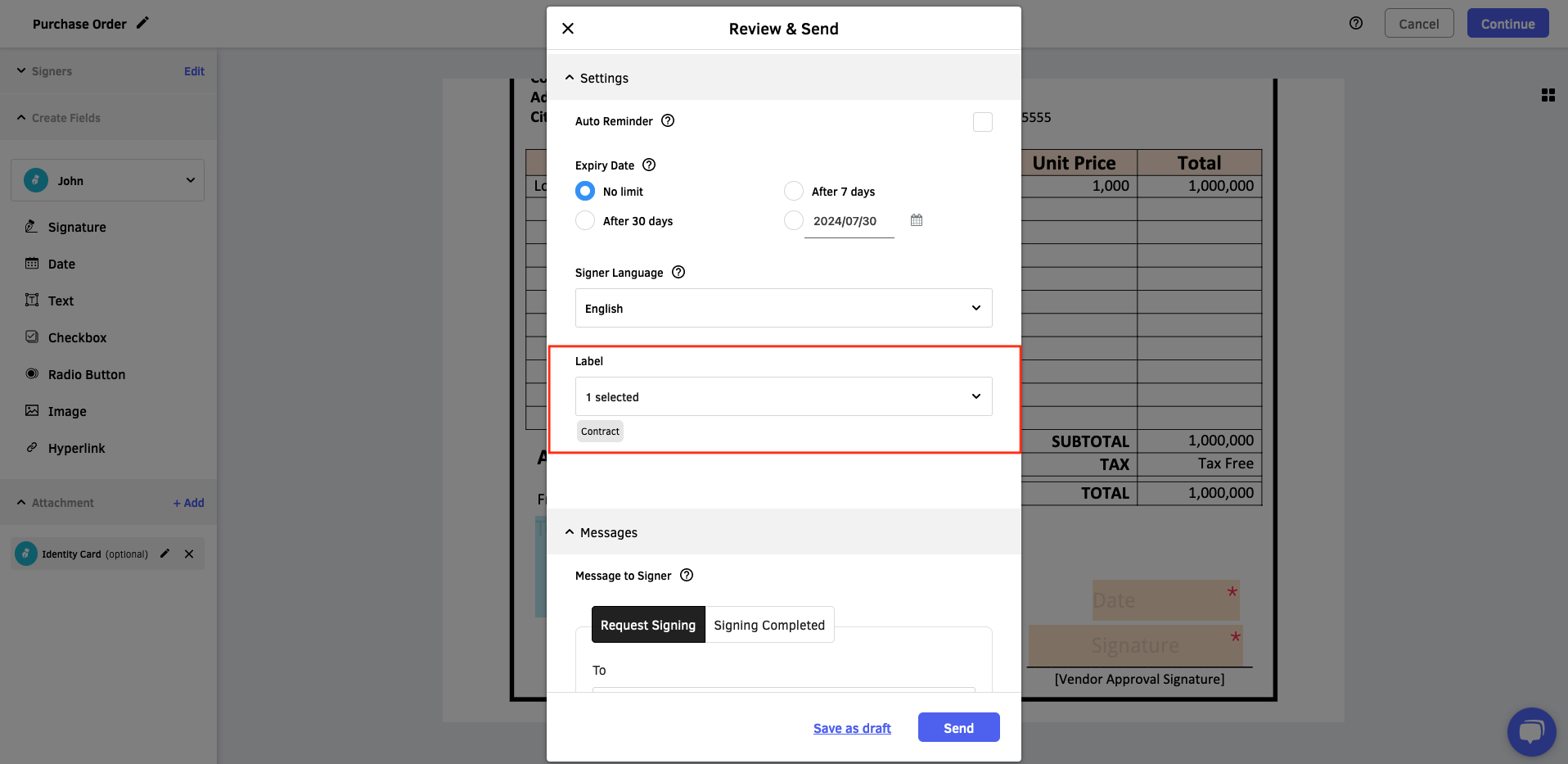 |
Updated 3 months ago